

Service · Mobile GIS & Asset Management
Asset Inventory with QField
Service Overview
Open-Source Mobile Data Collection for Industry and Municipalities
AustralGIS deploys QField — the leading open-source mobile GIS tool — to modernize asset inventories for mining and energy operations as well as municipalities updating their infrastructure records.
Managing thousands of physical assets — whether pipes, valves, and signs for a municipality, or roads, equipment pads, and drainage for a mining operation — requires accurate, up-to-date spatial records. QField transforms any Android or iOS device into a professional-grade field data collection terminal, linked directly to your QGIS project. No proprietary hardware. No ongoing subscription fees. No vendor lock-in.

Use Cases
Two Sectors, One Proven Workflow
QField is equally at home on the floor of an open-pit mine and on a city sidewalk. The same open-source platform, adapted to each client's data model and field conditions.
Mining & Oil and Gas
Asset Inventory for Industrial Operations
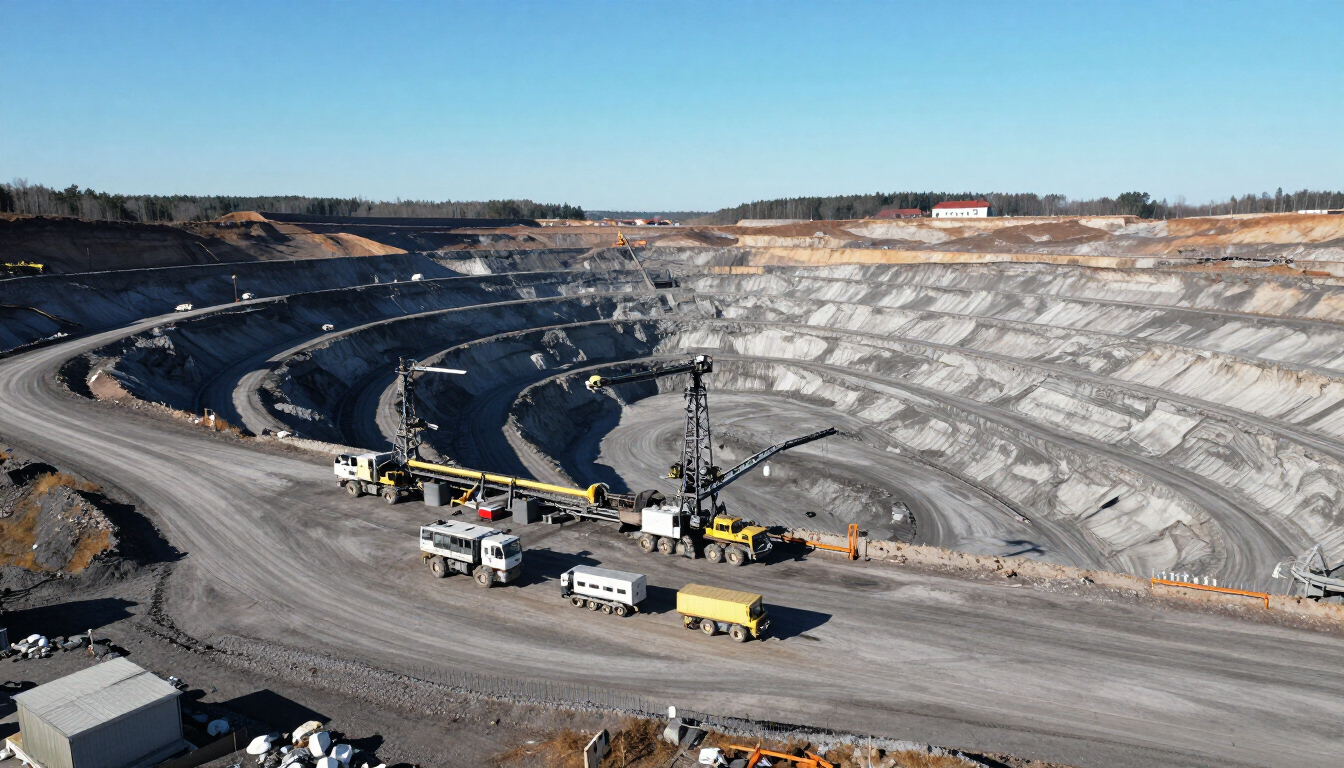
Mining and energy operations maintain hundreds of kilometers of access roads, thousands of drainage structures, equipment pads, environmental monitoring stations, and safety infrastructure. Keeping those records current in a GIS is a regulatory and operational necessity. QField enables field crews to capture precise GPS coordinates, attach photos, and update attribute tables directly in the field — even in remote areas without cellular coverage.
- Roads, culverts, drainage, and earthworks
- Equipment pads, pump stations, and wellheads
- Environmental monitoring points and sample sites
- Reclamation and closure planning data
Municipalities
Municipal Infrastructure Asset Updates
Public works and engineering departments need current records for water mains, hydrants, manholes, signs, street furniture, parks facilities, and more. QField gives field staff the ability to add new assets, update condition assessments, and attach photos to GIS records while standing in front of the asset — eliminating transcription errors and paper forms.
- Water and sewer infrastructure
- Traffic signs, poles, and street lighting
- Parks furniture, playgrounds, and pathways
- Road surface condition inspections
Open-Source Advantages
Why Open-Source QField vs. Paid Platforms
Proprietary mobile GIS tools like ArcGIS Field Maps, Collector, and Survey123 impose per-seat licensing fees that scale steeply with team size. QField eliminates that cost entirely while matching — and often exceeding — their functionality.
Zero Licensing Cost
QField is free to download and deploy on any number of devices. No annual subscriptions, no per-user fees, no surprise invoices. Budget goes to data quality and analysis, not software licenses.
No Vendor Lock-In
Your data stays in open formats (GeoPackage, Shapefile, PostGIS). You are never dependent on a single vendor's cloud, pricing changes, or discontinuation decisions.
Offline-First Architecture
QField synchronizes your QGIS project to the device before fieldwork and merges edits back afterward. It works in mines, remote forests, and underground — wherever there is no cell signal.
Active Community & Long-Term Support
Backed by OPENGIS.ch and a global contributor community, QField is under active development with a public roadmap. It is widely used by governments, NGOs, and utilities worldwide.
Any Device, Any Platform
Runs on Android and iOS — including rugged industrial tablets. No proprietary hardware required. Teams can use devices they already own or procure cost-effective commercial options.
Full QGIS Ecosystem
Because QField is native to QGIS, every layer style, form, constraint, and relation you configure on the desktop is automatically available in the field app — no re-configuration or double entry.
User Interface
QField in Action
See how QField transforms field data collection with an intuitive mobile interface and powerful attribute forms.
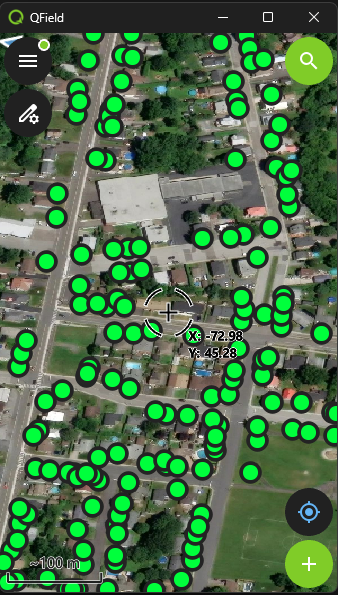
Mobile Map
Mobile map interface with GPS-positioned data collection points
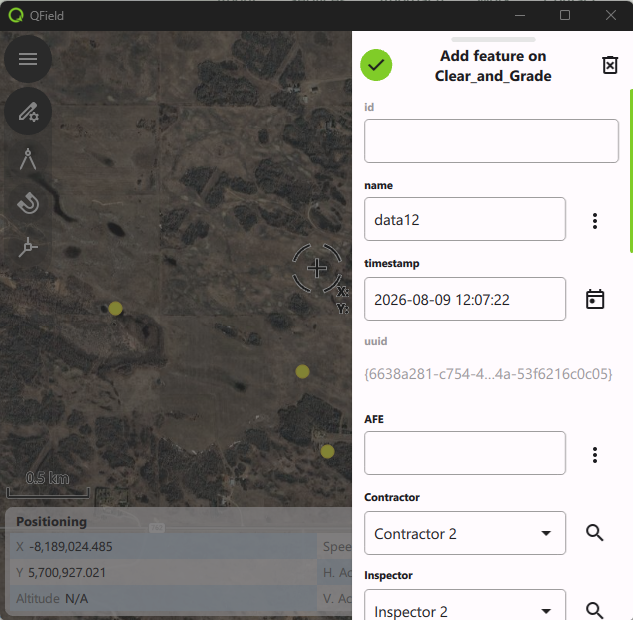
Data Entry Form
Data entry form for asset attributes and metadata
Intuitive Interface
Designed for field use
Powerful Forms
Built-in validation & constraints
Our Process
How We Deploy QField for Your Project
Data Model Design
We design or adapt your QGIS project — layers, attribute forms, validation rules, and domain lists — to match your asset registry and regulatory requirements.
Field Configuration
QField is configured and loaded onto field devices with the project package, basemaps, and any offline aerial or satellite imagery needed for the survey area.
Field Collection
Crews collect GPS-positioned assets, update attributes, and attach photos directly in QField. Changes are stored locally and synced to the central QGIS project after each field session.
QA & Delivery
We run spatial and attribute quality checks, resolve any conflicts from parallel editing sessions, and deliver a clean GeoPackage or PostGIS dataset ready for your asset management system.
What Your Organization Gets
A complete, georeferenced asset registry in open formats
Photographic documentation linked to every asset record
Offline-capable field collection for remote and underground sites
QGIS desktop project for in-house analysis and map production
Training for your field and GIS staff on QField workflows
No ongoing software licensing costs after project delivery
Ready to modernize your asset inventory?
Contact us to discuss your asset management needs — mining, municipal, or otherwise. We will scope the project and recommend the right QField configuration for your team.